
The dual-screen caregiver: keeping a watchful eye on mum and dad
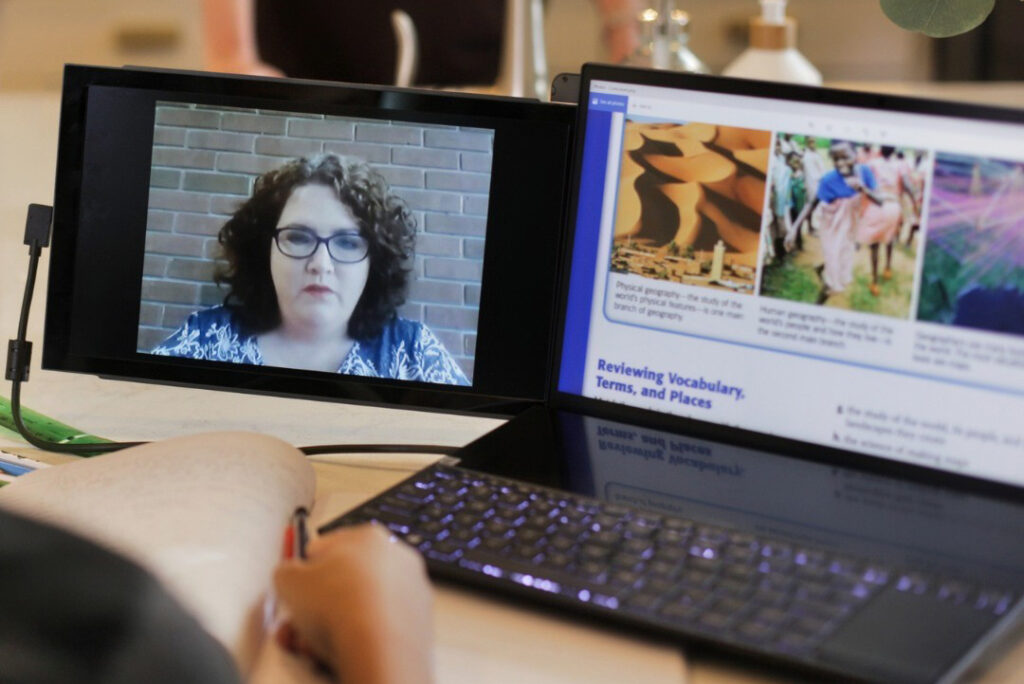
Many of us have become used to working with multiple screens and enjoy the efficiency benefits. Provider Mobile Pixels has been exploring the possibilities of dual screens to help us keep a discreet eye on remote older family while working. Here are their thoughts, followed by our experience at When They Get Older of setting up a laptop dual screen.
It Starts With a Conversation, Not a Camera
With a dual-screen like the Duex DS dual screen for a laptop, you can use your second screen to keep a gentle eye on your parents without making it feel like surveillance.
The main goal here is to make your loved ones feel comfortable and not disrespect their boundaries. So, the use of dual-screen here will feel like a conversation with your mother or father rather than putting them on camera.
It’s a good idea to agree on keeping a check and when to do it. For example, you can keep track of morning routines and medication times. It will give you a general sense that the day is moving as expected. There is no constant or surprising monitoring, and the communication will be based on consent for dual-screen caregiving.
How a normal workday feels with one extra layer
Let’s give you a picture of what you experience with a dual-screen caregiver. It’s about weaving one extra step into the normal everyday routine. Before you open your inbox, quickly take a glance at the care screen. Check the morning medication reminder if there is one, and see if it was acknowledged.
Less than a minute on screen can then give you hours of focus on work. During breaks, you can check in again.
This will allow you to confirm that everything is on track. You can see it as as task that’s as simple as checking the weather, but you are checking the health and comfort of your mum or dad.
Caregiving technology and alerts
Dual screens can make incorporating caregiving technology and alerts a little easier.
One misconception about caregiving technology is that it demands constant attention. However, the goal is opposite in reality. The system works for you. You will get the alerts only for what actually matters. For instance, a missed medication window. Or let’s say an unusual pattern. This is the kind of balance that protects dignity. And the caregiving becomes easy without any interruption in the parents’ lives.
The emotional shift you do not expect
Another brilliant transformation to note is the stronger emotional connection. It becomes better because your mind feels calmer about your parents while working. You even stop apologising internally for staying busy. Knowing that your parents are fine makes you feel free to work with more concentration. And when you connect with them from time to time, it grows the bonding.
Lastly
After considering dual-screen caregiving, many professionals are working freely. It adds the touch of special attention where you feel that you are not able to make time consistently. If you also want to balance your work and care for your mother and father, you can go for setting up dual-screen monitors in your workplace. Try the Duex DS dual screen from Mobile Pixels.
Review: setting up the dual monitor option
Mobile Pixels kindly sent us a Duex Lite monitor to work with a small-screen laptop.
The monitor arrived in a robust box, with very clear instructions for attaching the second monitor to the laptop. This involved a simple template to position four strong magnets, which was pretty easy to do.
With the magnets in place, the monitor sits on the back of the laptop screen, and slides out when you want to use it. That can be to the left or the right, but you need to make that decision before you place the screen in position.
Also in the box were cables to attach the monitor to the laptop. We had some trouble getting a connection between the laptop and the monitor, but once we’d tried all the cables several times, it suddenly leapt into life. Setting up the screen as a dual monitor is pretty straightforward – you do have to go into settings on the laptop and set it up from there. The screen is very slightly smaller than that on my laptop, but not inconveniently so.
So far I’ve only used the second monitor as I would at work – setting up apps and browser tabs side by side to move information around, follow instructions, and other working day tasks. But this configuration would be invaluable if I’m taking my laptop for an extended visit to my parents and need to work while I’m there. It means I can just carry on as I would at my desk – once I’ve checked I have all the files and access I need on the laptop.
The monitor does make the laptop bulkier and heavier, but it does still all fit into my slip case, which is great.
Reviews online are very positive, and you can purchase dual screen monitors from a number of retailers in the UK.